pg-pilot - a Postgres.app for Linux
I got tired of managing Postgres versions on Linux, so I built a small Wails app that downloads, runs, and manages multiple local Postgres instances with no system install and no root.
On macOS, if you need a local Postgres, you download Postgres.app, drag it to Applications, click start. That’s it. On Linux, the equivalent is: pick a package manager, pick a version, fight your distro’s repo for it, and if you ever need a second version side by side, install a version manager on top of that. I wanted the macOS experience, so I built it - pg-pilot, a small desktop app for running local Postgres instances on Linux.
The problem
Installing Postgres system-wide on Linux works fine until you need:
- a different major version for a different project
- to blow away a database and start clean without touching your “real” one
- to try something quickly without committing to a system service
At that point you’re reaching for pyenv-style version managers, except for Postgres, and now you’re managing the version manager too. I just wanted to click a button and get a running Postgres on a port, scoped entirely to my home directory, gone the moment I delete it.
To be clear about scope: this is a local dev tool, not a production database manager. Auth is trust-mode (no password) and everything binds to localhost - great for “I need a Postgres to point my app at right now,” not for anything you’d expose to a network.
The approach
pg-pilot is a Wails app - Go on the backend, React on the frontend, packaged as a native desktop binary. No Electron, no bundled Chromium; it uses the system’s webview.
The core idea is that “installing Postgres” just means having the binaries on disk. You don’t need a package manager for that - you need a tarball and somewhere to put it. So:
- Postgres binaries come from zonky’s
embedded-postgres-binarieson Maven Central - official EDB builds, repackaged as plain.txzarchives, one per platform/version. - Everything lives under
~/.local/share/pg-pilot/. Versions are downloaded once and shared; each named instance gets its own data directory and port.
Once a version is unpacked, creating an instance is just initdb into its own data directory, and starting one is pg_ctl start with a port flag. There’s no daemon, no background service to manage - the whole “manager” is a JSON file recording which instances exist, and pg_ctl doing the actual lifecycle work.
What it does
- Multiple Postgres major versions (14 through 18) installed side by side, downloaded on demand
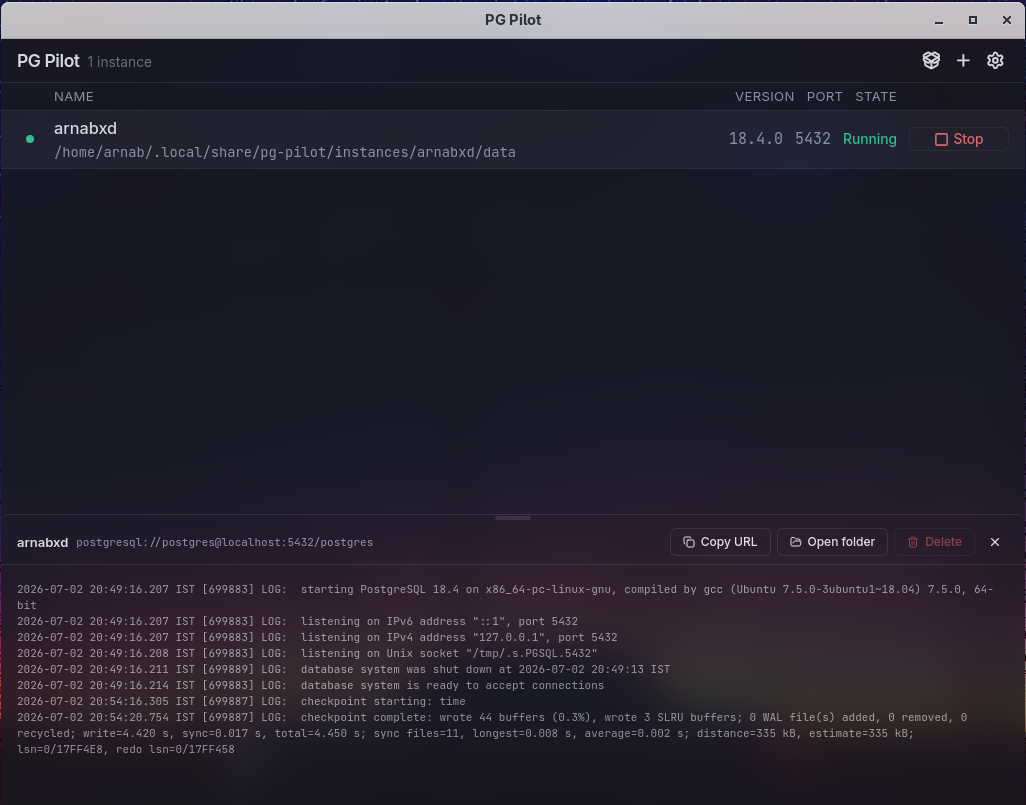
- Multiple named instances, each independently start/stop-able, each with its own port and data dir
- A log viewer, one-click connection string copy, and a button to jump straight to the data directory in your file manager
- A tray icon so instances keep running when you close the window
- Proper desktop integration - it installs a
.desktopentry and shows up in your app launcher like anything else
Deleting an instance just removes its directory and registry entry; the downloaded Postgres binaries stick around in case another instance needs the same version.
Distribution
It uses the system’s own webview (via GTK), not a bundled one, and Linux has two incompatible webview ABIs in the wild - WebKitGTK 4.0 (Ubuntu 22.04, Debian 12) and 4.1 (everything newer, plus Fedora). Since those aren’t binary-compatible, releases ship as separate builds per architecture and per ABI. CI builds and publishes all of them on every tag push, so installing is: grab the release matching your distro and arch, unpack, run install.sh. No root - it drops into ~/.local and registers itself in your app launcher.
Result
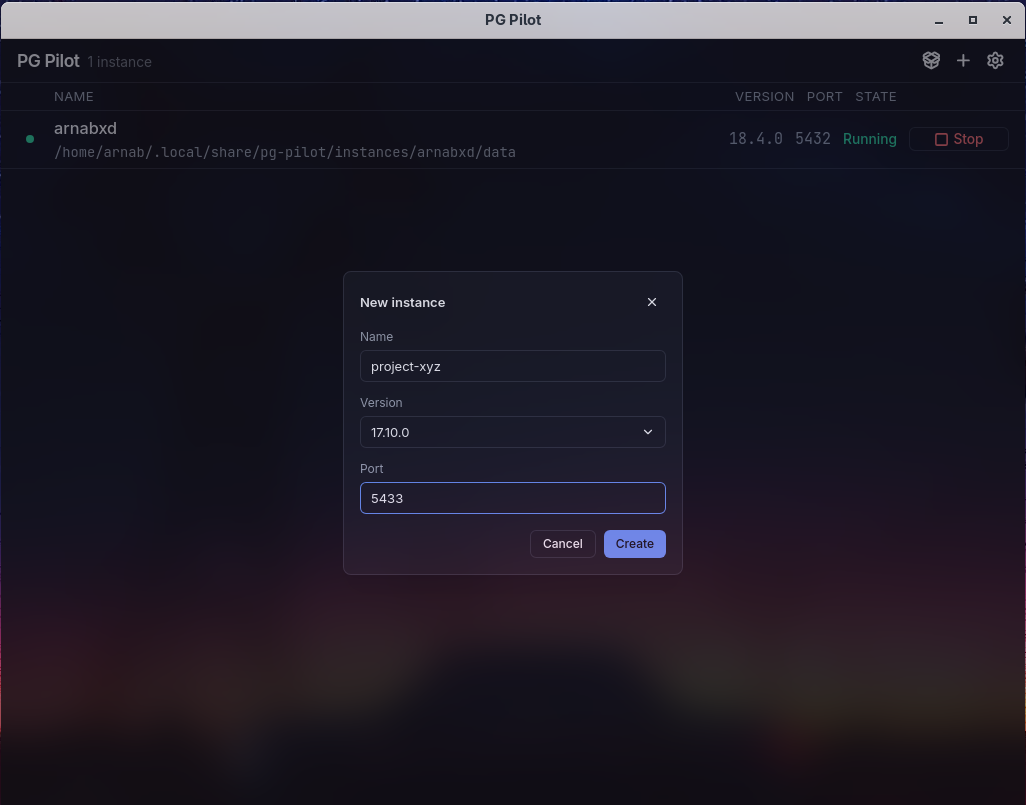
Open the app, click “New instance,” name it, pick a Postgres version and a port, hit Create. A few seconds later (longer the first time, while it downloads that version) you’ve got a running Postgres you can psql into - no system package, no root, no version manager juggling. Exactly what I wanted on macOS and never had on Linux.
Source and releases are on GitHub.